App install notes · Install notes
Getting the Joker123 app onto your phone
Start from the end: a black login screen with a gold JOKER logo. How to get there on Android or iPhone without leaving your phone wide open.
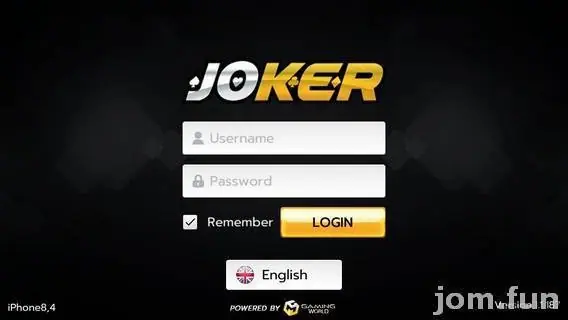
If everything went right, you end up on the screen above: black background, gold JOKER logo, a Username box, a Password box, a Remember tick and an orange LOGIN button. That's the finish line. Getting there takes about two minutes on Android and maybe five on an iPhone.
Your username and password come from whoever issued your Joker123 ID. The app itself should come from them too. Joker123 isn't in Google Play or the App Store, so a random link from a Facebook group is just a random file.
Android
The old page offered Joker123 as an APK. When you open it, Android will say your browser isn't allowed to install apps and offer a Settings shortcut. Turn on Allow from this source for that browser, go back, tap Install. Once the Joker icon is on your home screen, go back into Settings > Apps > Special app access > Install unknown apps and switch the browser off again. Leaving it on is how junk sneaks in later.
iPhone
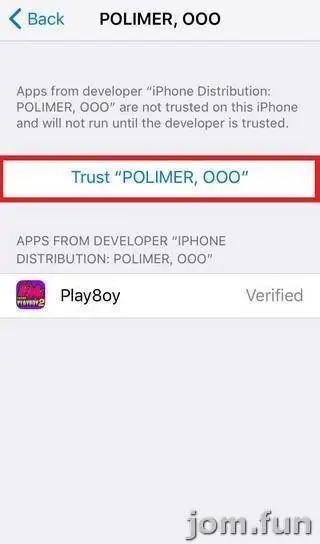
The iPhone build is signed with an enterprise certificate, and on these screenshots it belongs to JTECH DEVELOPMENT PLT. That's the name you'll be asked to trust.
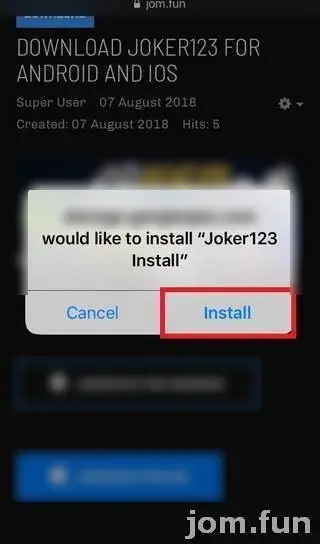
- Tap the iOS link your provider sends. Safari asks whether a Google cloud storage address may install "Joker123 Install". Tap Install.
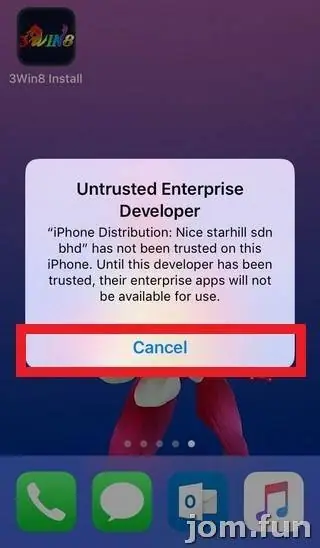
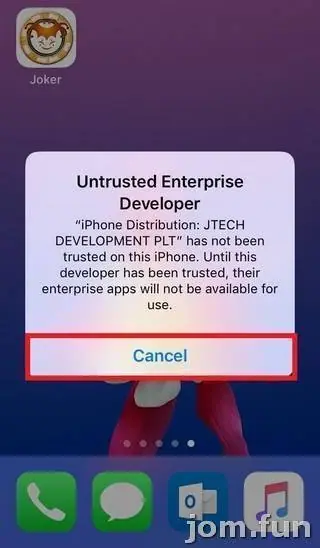
- Tap the new Joker icon. iOS stops you with Untrusted Enterprise Developer and names JTECH DEVELOPMENT PLT. Tap Cancel.
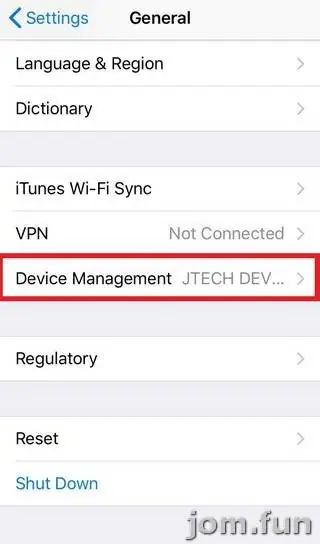
- Go to Settings > General > Device Management (on newer iOS: VPN & Device Management). The General screen already shows "JTECH DEV..." beside that row.
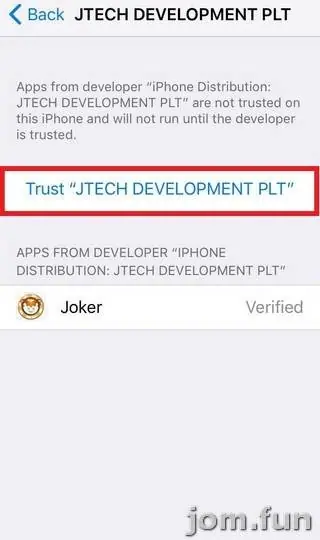
- Tap the company, then the blue Trust "JTECH DEVELOPMENT PLT" link. The app "Joker" is listed underneath as Verified.
- Confirm with Trust in the pop-up.
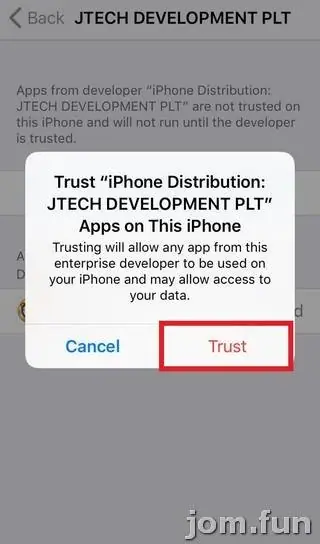
That pop-up is worth reading once. It says any app from this developer may run and "may allow access to your data". You're vouching for a company you know nothing about, so keep your banking app and its TAC codes to themselves, and never type them into a game or into a "verification" page a game opens.
If Joker stops launching one day with no warning, Apple has probably pulled the certificate. Your credit is on the Joker123 server, not in the app. Delete, reinstall from a fresh link, trust the new name.
For the games themselves, see the Joker123 overview or browse the Joker123 game sheet. No account yet? You can ask for a Joker123 ID.
Adults only, 18 and up. Online gambling is restricted in Malaysia; if you play anyway, fix a budget first and read the responsible gaming notes.
Questions people ask
Where do I get the Joker123 app?
From the provider or agent who issues your Joker123 game ID. This guide hosts no app files and links to none.
Do I have to turn off Play Protect on Android?
No. You only need to allow your browser to install that one file. If Play Protect flags the APK, stop and ask your provider why before going further.
Real-money games; online gambling is restricted in Malaysia. Never top up money you need, and stop if it stops being fun. Responsible gaming.