App install notes · Install notes
Live22 on every device it used to support
Four builds, one login. How Live22 installs on Android, iPhone, Windows and Mac, and what the Lucky8 Technology certificate on your iPhone means.
Live22 was the only platform on the old site with a Mac package. Android, iPhone, Windows and Mac, all four. Nothing else on the list covered that much.
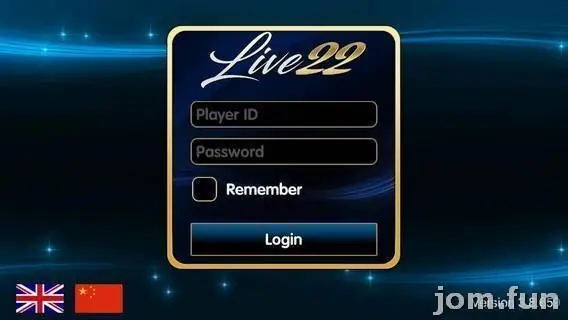
Whichever one you use, you land on the same screen: the gold Live22 frame, a Player ID box, a Password box, Remember, and a blue Login button, with little UK and China flags at the bottom for language. Your Player ID is the one your provider gave you, not your phone number or email.
Mac and Windows
The Mac build was a .pkg installer, the Windows one an .exe. On a Mac, Gatekeeper will refuse an unidentified developer's package the first time; you have to allow it under System Settings > Privacy & Security. That's a real decision, not a formality. Only do it for a file your provider handed you directly, and if they no longer have a Mac version, don't go hunting for an old one on file-sharing sites.
iPhone
Here the certificate belongs to Lucky8 Technology Inc., and that's the name iOS asks you to trust.
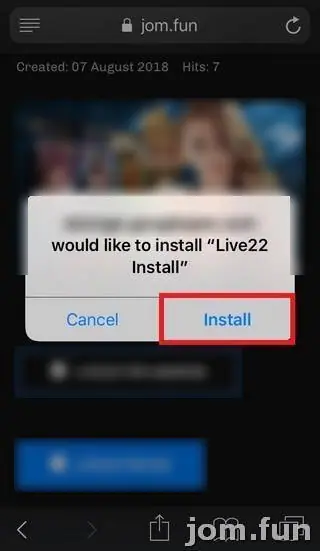
- Tap the iPhone link from your provider. Safari asks to install "Live22 Install". Tap Install.
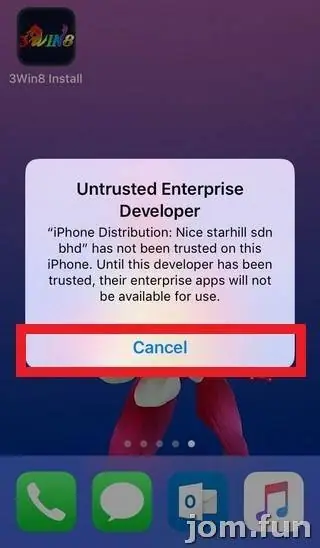
- Tap the new Live22 icon. iOS shows Untrusted Enterprise Developer and names Lucky8 Technology Inc. Tap Cancel.
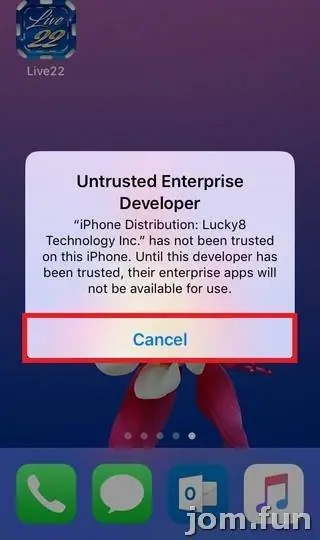
- Open Settings > General > Device Management (on current iOS it's VPN & Device Management) and tap Lucky8 Technology Inc. under Enterprise App.
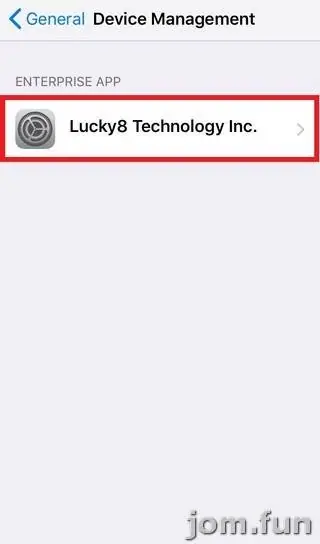
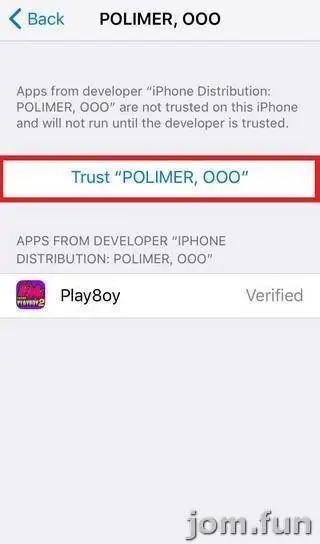
- Tap Trust "Lucky8 Technology Inc.". Live22 shows underneath as Verified.
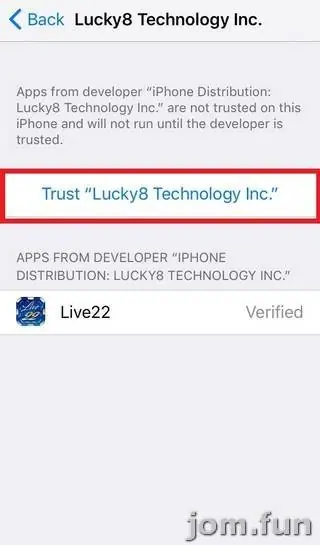
- Confirm with Trust.
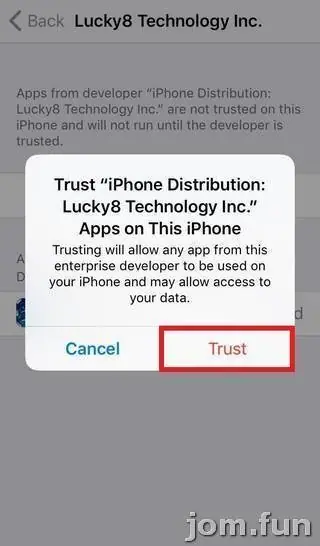
That confirmation lets every app signed by that company run on your phone and says it "may allow access to your data". Fine for a game you chose; not fine if other apps you don't recognise show up under that name later.
Android
One APK. Allow Install unknown apps for your browser, install, switch it off.
First launch
Fish games take a moment. Fish Hunter Hai Ba shows a big gold title card and a line at the bottom saying Connect Socket Success... once it has reached the server.

If the iPhone app stops opening months later, the certificate was revoked. Delete it and ask for the current link.
See the Live22 overview and the Live22 game sheet for the games. You can get a Live22 Player ID if you don't have one.
Keep it to 18+, remember online gambling is restricted in Malaysia, and set your limit before you log in, not after. Responsible gaming has more.
Questions people ask
Is there still a Mac version of Live22?
The old page listed a Mac package. We can't confirm it's still maintained; ask your provider, and if there isn't one, the phone app is the safer bet than an old installer from somewhere else.
What does 'Connect Socket Success' mean on the loading screen?
The game has connected to the Live22 server. If a game hangs before that line appears, it's usually your connection, not the app.
Real-money games; online gambling is restricted in Malaysia. Never top up money you need, and stop if it stops being fun. Responsible gaming.