App install notes · Install notes
Putting SKY777 on your phone
Most SKY777 players are on Android, where the install is one permission and one tap. iPhone takes a detour through Settings. Both, with the screenshots.
Most SKY777 players I know are on Android, and for them the install is short: one file, one permission, done.
Android
- Get the APK link from the provider who handles your SKY777 ID.
- Open the file. Android says your browser isn't allowed to install apps and shows a Settings button.
- Turn on Allow from this source, go back, tap Install.
- Go back into Install unknown apps and switch the browser off.
If Play Protect calls the app harmful, don't just tap "Install anyway". Ask your provider what's going on first. A genuine SKY777 build often shows an "unknown app" notice, but a harmful-app warning is a different thing.
iPhone
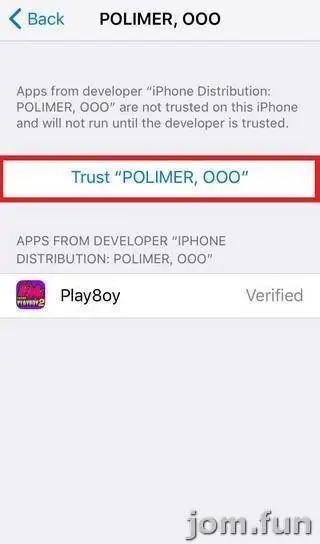
The iPhone build needs the usual trust step, and the certificate here is issued to Kreatif Jaya Sdn. Bhd. A Malaysian-sounding company name doesn't make it any more official. It's just who signed the file.
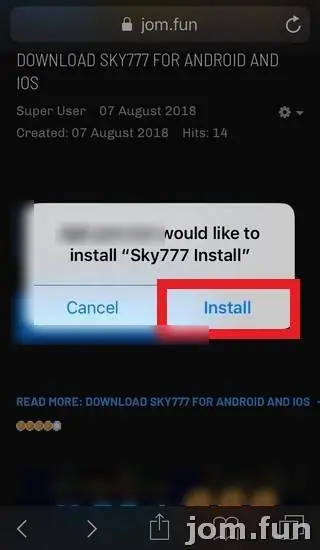
- Tap the iOS link and confirm Install when Safari asks.
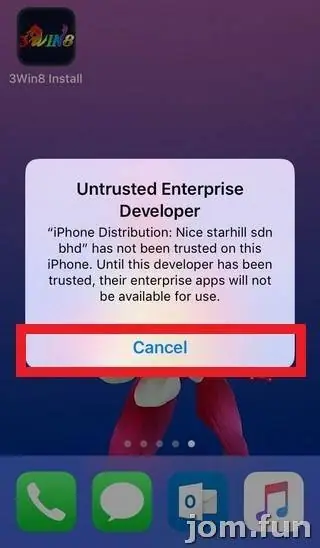
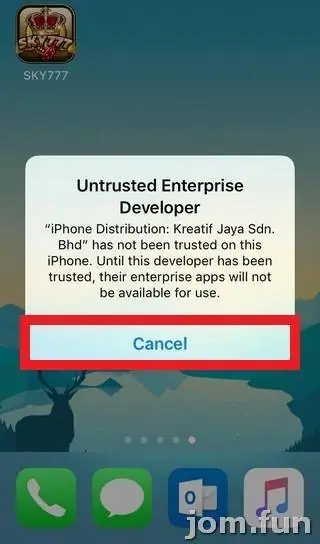
- The SKY777 icon appears on your home screen (see the top of this page). Tap it and you'll get Untrusted Enterprise Developer. Tap Cancel.
- Go to Settings > General > Device Management (called VPN & Device Management now) and tap Kreatif Jaya Sdn. Bhd.
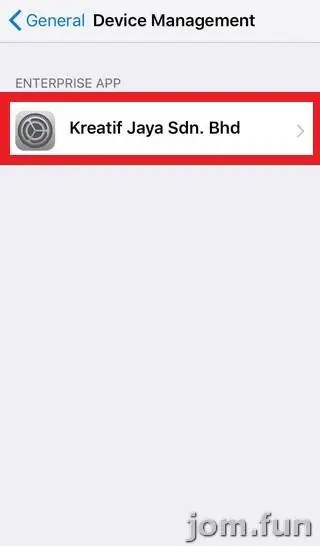
- Tap Trust, then Trust again on the confirmation.
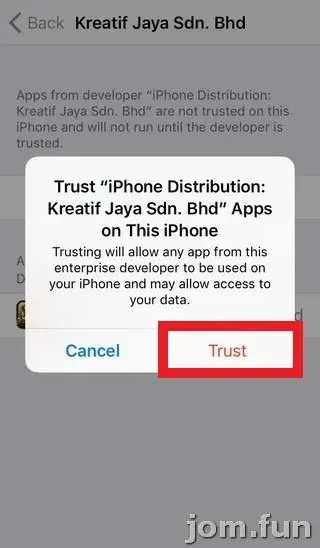
That second pop-up spells it out: any app from this developer can run, and it "may allow access to your data". Keep your iOS updated and keep bank logins and TAC codes out of anything but your bank's own app.
What you get once you're in
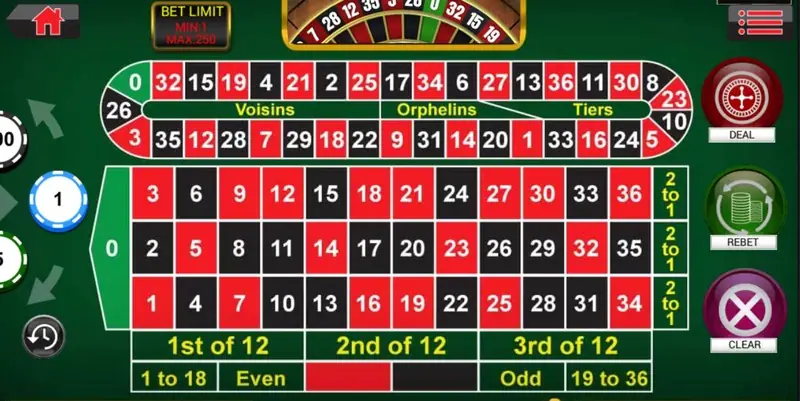
Besides slots, SKY777 has proper table games. The roulette table is a full European layout, 0 to 36, with 1st of 12, 2nd of 12, 3rd of 12, 1 to 18, Even, Odd and 19 to 36 along the bottom, and a bet-limit tag in the corner.
If the app dies suddenly one day, the certificate was probably revoked. Reinstall from a fresh link; your balance is on the server.
The SKY777 overview and the SKY777 game sheet go through the games. To get started, ask for a SKY777 game ID.
18+ only. Online gambling is restricted in Malaysia; if you play, budget for it like any other spend and see responsible gaming.
Questions people ask
Is there a SKY777 PC version?
The old page listed only Android and iPhone, and suggested an Android emulator for PC. I'd stick to the phone app.
Does a Malaysian company name on the certificate mean SKY777 is local or licensed?
No. It only tells you who the signing certificate was issued to. It says nothing about who runs SKY777 or about any licence.
Real-money games; online gambling is restricted in Malaysia. Never top up money you need, and stop if it stops being fun. Responsible gaming.