App install notes · Install notes
Installing 3Win8 on an iPhone, one screen at a time
The iPhone warning for 3Win8 names a company you have never heard of. Here is every screen of the install and what the final Trust tap actually agrees to.
The name on the iPhone warning for 3Win8 is "Nice starhill sdn bhd". Not 3Win8, and not the agent who set up your ID.
That mismatch throws a lot of people, so start there. Apps that don't come from the App Store have to be signed with something, and 3Win8's iPhone build used an enterprise certificate: a kind of certificate Apple issues to companies so they can put internal apps on staff phones. Whatever company holds it shows up on every warning and in Settings. It tells you nothing about who operates 3Win8, and the next build may carry a different name entirely.
The screens, in the order you'll see them
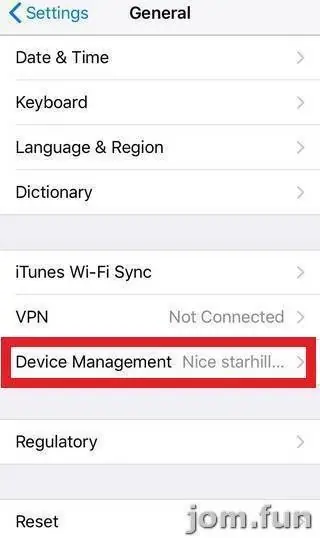
These screenshots come from an install done in August 2018 on an older iOS. On current iPhones, "Device Management" lives under Settings > General > VPN & Device Management, but the flow is the same. Get the link itself from the provider who gave you your game ID, nowhere else.
- Open the link. Safari asks whether a Google cloud storage address may install "3Win8 Install". Tap Install.
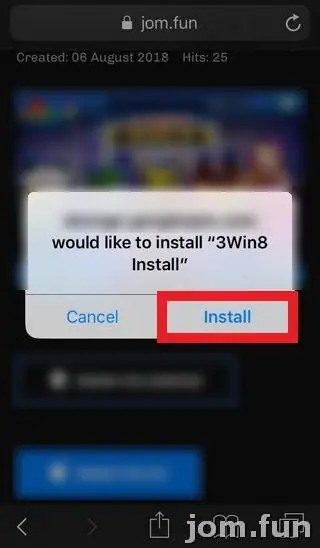
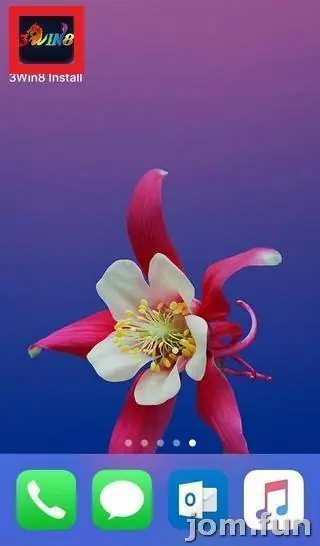
- The icon lands on your home screen, labelled "3Win8 Install" while it downloads.
- Tap it once it finishes. You get the Untrusted Enterprise Developer pop-up shown at the top of this page. Tap Cancel; nothing is broken yet.
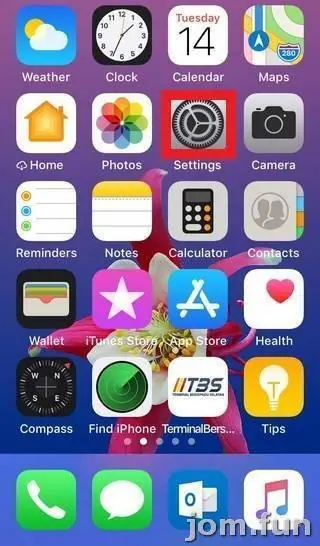
- Open Settings (the grey gear on the first home screen).
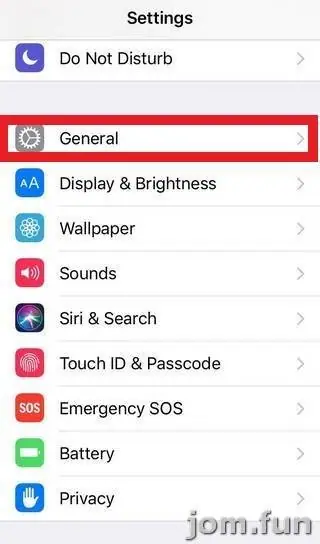
- Tap General.
- Scroll to Device Management. The company name is already sitting greyed out beside it.
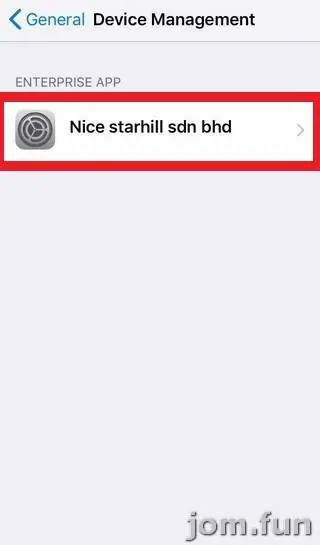
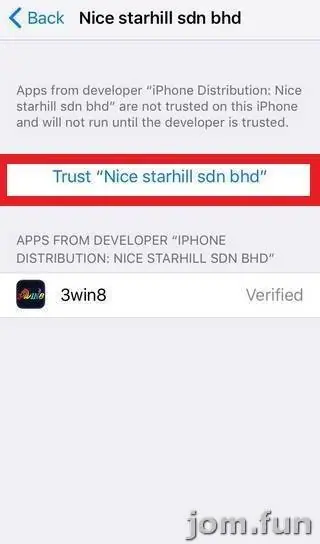
- Under Enterprise App, tap the company name.
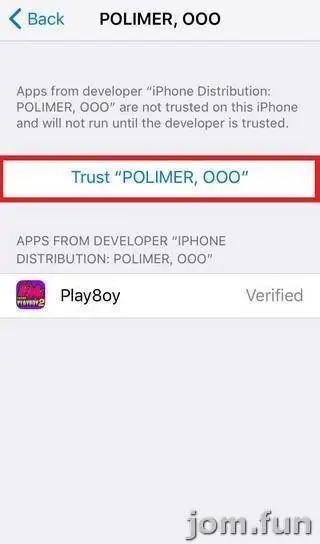
- Tap the blue Trust "Nice starhill sdn bhd" link. Underneath, 3win8 is listed with the word Verified next to it.
- A last dialog asks you to confirm. Tap Trust, go back to the home screen and open 3Win8.
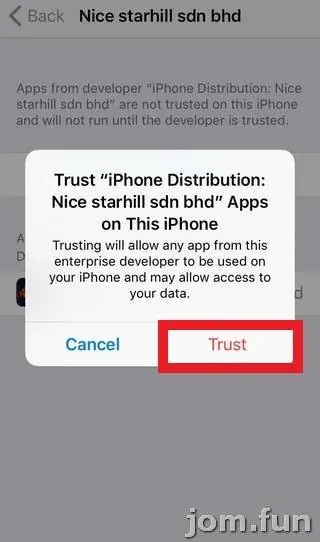
Read that last dialog before you tap
The wording is blunt: trusting "will allow any app from this enterprise developer to be used on your iPhone and may allow access to your data." Any app, not just 3Win8. So check that list under the company name now and then. If an app you never installed turns up there, delete it and remove the profile.
A few habits I'd keep. Don't type your bank login or a Maybank or CIMB TAC into anything but your bank's own app. Keep iOS updated even if someone tells you an update "breaks" the game. And when 3Win8 one day refuses to open, that's normally Apple revoking the certificate. Delete it, get a fresh link from your provider, trust the new name.
On Android it's an APK instead. Your browser will ask for permission to "install unknown apps"; allow it for that one install, then switch it back off. The old page also listed a Windows build, and suggested an Android emulator on PC as a fallback.
Game notes live on the 3Win8 overview and the 3Win8 game sheet. If you don't have an account yet, you can get a 3Win8 game ID from the provider we work with.
You need to be 18 or older. Online gambling is restricted in Malaysia, so know the risk and set a spending cap before you play; our responsible gaming page has a few ways to do that.
Questions people ask
Why does the warning show a company name and not 3Win8?
iPhone builds of 3Win8 are signed with an enterprise certificate, and the warning shows whoever that certificate was issued to. The name says nothing about who runs 3Win8, and it can change with the next build.
My 3Win8 app suddenly won't open. Is my balance gone?
Usually not. Apple most likely revoked the certificate. Delete the app, ask your provider for the current link and log in again; the credit sits on your game ID, not inside the app.
Real-money games; online gambling is restricted in Malaysia. Never top up money you need, and stop if it stops being fun. Responsible gaming.