App install notes · Install notes
ACE333 install notes, starting with the app that stopped working
An ACE333 app that worked yesterday and closes instantly today has almost always lost its certificate. How to reinstall it, and what to check while you're at it.
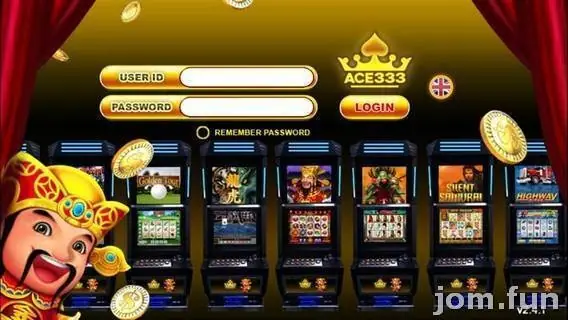
An ACE333 app that worked yesterday and now closes the moment you tap it has almost always lost its certificate. Most likely Apple noticed that the enterprise certificate it was signed with was being used to hand out apps to the public, and switched it off. Every phone with that build stops at once.
Nothing is wrong with your account. Your credit sits on your ACE333 ID, on their server.
Fixing it
- Delete the dead ACE333 icon.
- Ask your provider for the current iPhone link. Don't search for one; old links are dead and random new ones may not be ACE333 at all.
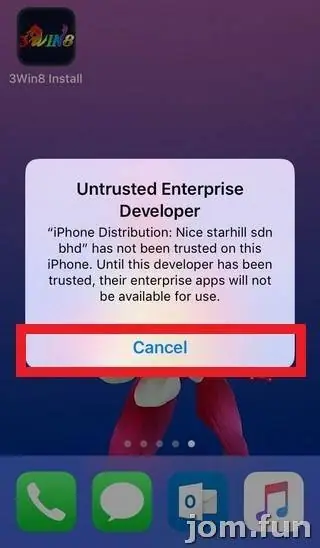
- Install, then tap the icon. You'll get Untrusted Enterprise Developer. Tap Cancel.
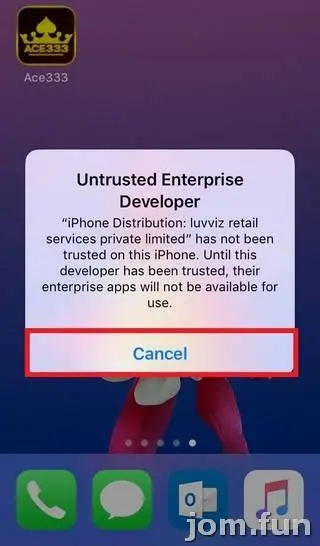
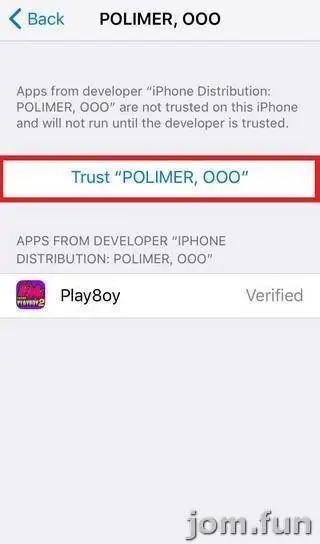
- Go to Settings > General > VPN & Device Management (in these older screenshots it's just Device Management) and tap the company under Enterprise App.
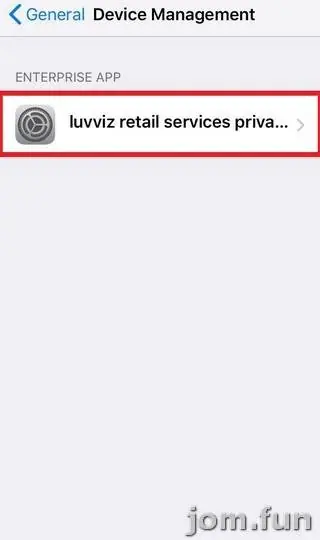
- Tap Trust, then Trust again when iOS asks you to confirm.
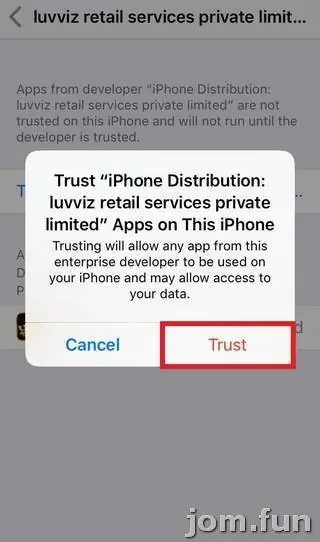
The company in these screenshots is luvviz retail services private limited. After a revocation the new build will almost certainly carry a different name. That's normal. What isn't normal is an old company still listed in Device Management with apps you don't recognise under it; delete those.
Android and Windows
On Android an ACE333 update is a new APK over the old one. Allow Install unknown apps for your browser only while you install it. If Android says the update's signature doesn't match the installed app, stop. That's what a tampered file looks like. Uninstall the old one and get a clean link from your provider.
The old page also offered a Windows installer. Same rule as always: scan it, and only take it from your provider.
Checking you got the real thing
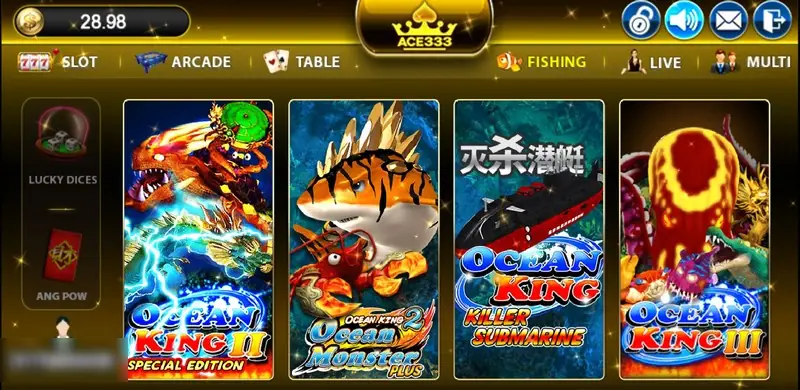
After login, the ACE333 lobby has category tabs across the top: Slot, Arcade, Table, Fishing, Live, Multi, with game tiles below and your balance in the top-left corner.
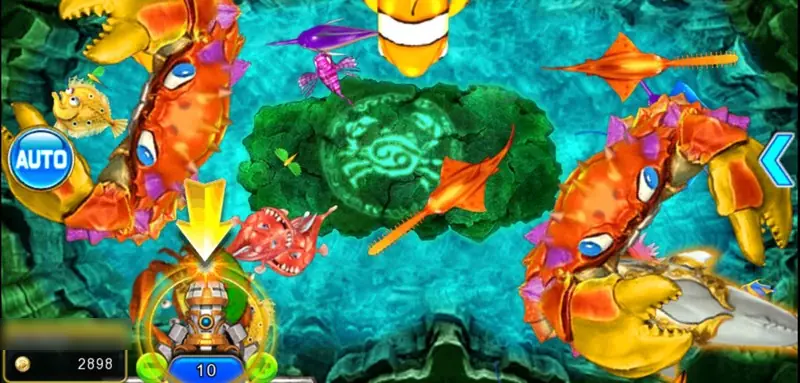
The fishing rooms are single-cannon, at least in the one I have a screenshot of: one turret at the bottom, an Auto button on the left, a cannon level of 10.
If any of that looks different, or the app asks for your bank details or SMS permissions, delete it.
More about the games is on the ACE333 overview and the ACE333 game sheet, including slots like Panther Moon. If you're new, get an ACE333 game ID.
Never share a bank TAC with anyone, including someone "helping" you reinstall. And keep in mind: 18+, online gambling is restricted in Malaysia, and a limit only works if you set it before you play. See responsible gaming.
Questions people ask
Will I lose my ACE333 credit if I delete the app?
No. The balance is on your game ID on the ACE333 server. Deleting the app only removes the app.
Are ACE333 fish games single-player?
The old page said ACE333 fishing rooms had only your cannon in them. The screenshot here shows one cannon, but I haven't checked every room, and it doesn't change the odds.
Real-money games; online gambling is restricted in Malaysia. Never top up money you need, and stop if it stops being fun. Responsible gaming.