App install notes · Install notes
Putting XE88 on your phone, and the one prompt that should stop you
XE88 isn't in Google Play or the App Store. What installing it involves on Android and iPhone, what the old instructions got wrong, and how to check the app once it's in.

The old XE88 instructions for iPhone had a slip in step 2: they said the install prompt would ask you to install Rollex11. That was almost certainly copied from another app's page. It's also the most useful thing to remember from this page: the prompt should name the app you're installing, and if it names something else, you stop.
XE88 (also written XE-88) is not in Google Play or the App Store. Every install goes around the stores, which means you're trusting whoever gave you the file. Get it from the provider you already deal with, not from a search result.
iPhone
- Open the iPhone link your provider sends and tap Install when iOS asks. Check the name in that prompt says XE88.
- Go to the home screen and tap the new icon. You'll get Untrusted Enterprise Developer. Tap Cancel.
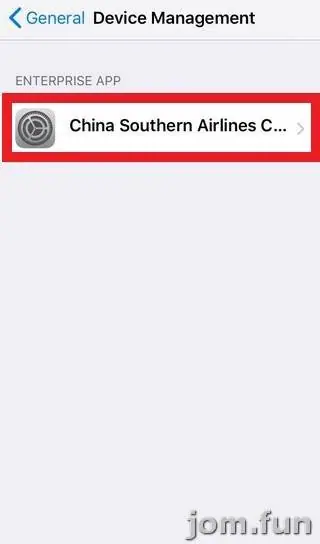
- Open Settings > General > VPN & Device Management (older iOS versions just say Device Management) and tap the developer name listed under Enterprise App.
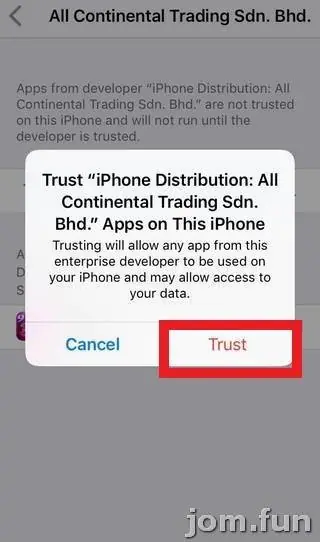
- Tap Trust, then Trust again to confirm.
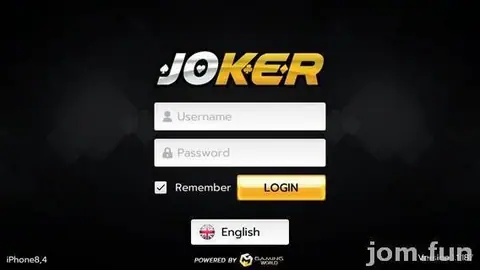
- Open XE88 and log in with the ID and password your agent gave you.
Trusting that profile lets any app signed with it run on your phone. That's why it matters who made it. If Apple revokes the certificate, the app will close the moment you open it; your credit isn't affected, you just need a fresh install. While you're in Device Management, delete any old developer profiles you don't recognise.
Android
On Android you install an APK. When you open it, Android will ask you to allow Install unknown apps for the browser or file manager you used. Allow it for that one app, install XE88, then switch the setting off again.
The app needs internet access and not much else. If it asks for SMS, contacts, accessibility or device admin rights, don't grant them and delete it. For an update, a new APK installs over the old one; if Android says the signature doesn't match, that's a warning sign. Uninstall and get a clean file from your provider.
PC
The old page said XE88 is mobile only and pointed PC players to an Android emulator, then went on to talk about installing 918Kiss, another copy slip. Running the Android build in a well-known emulator does work, but it's one more program with access to your computer, so keep that in mind.
Checking the app once it's in
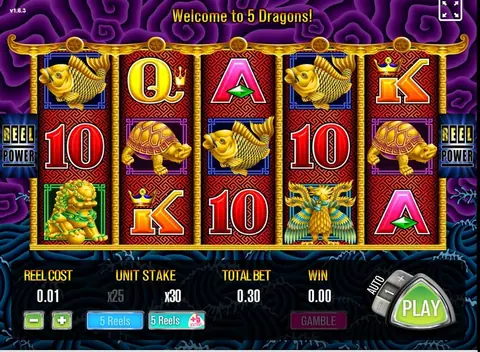
After you log in you should see a lobby with slot, arcade, table, fishing and live casino sections. The slots use a simple frame. Polar Adventures, for example, shows 40 lines, BET and TOTAL BET boxes and your credit as MY CHIPS.

Ocean King is the fishing game the old page picked out: a shared room with a cannon in each corner and LOCK, SWITCH and AUTO buttons down the right side.
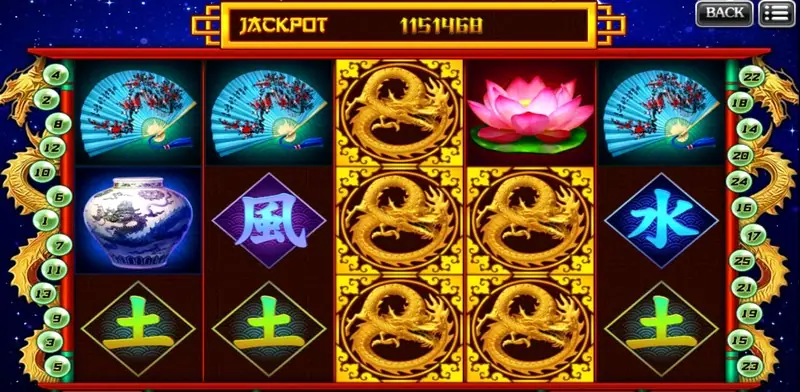
Mystic China was the other slot on the old list. The old page also warned that the live casino opens in your browser rather than inside the app. That's expected; if it opens a page asking for your bank login or a TAC, it isn't.
More on the games and how accounts work is on the XE88 app page. The trust step is the same on other apps; the 918Kiss install notes and Mega888 install notes walk through it too, and the rest are on the install notes page. If you don't have an account yet, ask an agent for an XE88 game ID.
Don't give your bank TAC to anyone, including someone "helping" with the install. And the usual: 18+ only, online gambling is restricted in Malaysia, and a spending limit only holds if it's set before you open the app. See responsible gaming.
Questions people ask
Can I play XE88 on a PC?
The old page said XE88 is mobile only, and that PC players run the Android version inside an Android emulator. That works for most of these apps, but it means installing a second piece of software, so only use a well-known emulator.
The iPhone install asked to install a different app name. Is that normal?
No. The old XE88 instructions said the prompt would ask to install Rollex11, which looks like a copy-and-paste slip. If the prompt names anything other than XE88, cancel and ask your provider for a clean link.
Will deleting XE88 remove my credit?
No. The balance sits on your game ID on the XE88 server, not in the app.
Real-money games; online gambling is restricted in Malaysia. Never top up money you need, and stop if it stops being fun. Responsible gaming.